
DocumentationTelePilot Pro Suite OverviewGetting Started with TelePilot Pro
Getting Started
This guide takes you from a fresh install to a verified first run.
System Requirements
| Requirement | Minimum | Recommended |
|---|---|---|
| Operating system | Windows 10 64-bit | Windows 11 |
| Memory | 4 GB RAM | 8 GB RAM or more |
| Storage | 1 GB free | SSD with 2 GB free |
| Network | Stable internet | Stable internet plus backup proxy pool |
| Telegram | API ID and API hash | Separate API credentials for operational groups |
First Launch
- Extract the TelePilot Pro package to a dedicated folder.
- Run the EXE or start from source with
python main.py. - Paste the license key from your TelePilot Pro dashboard or purchase email.
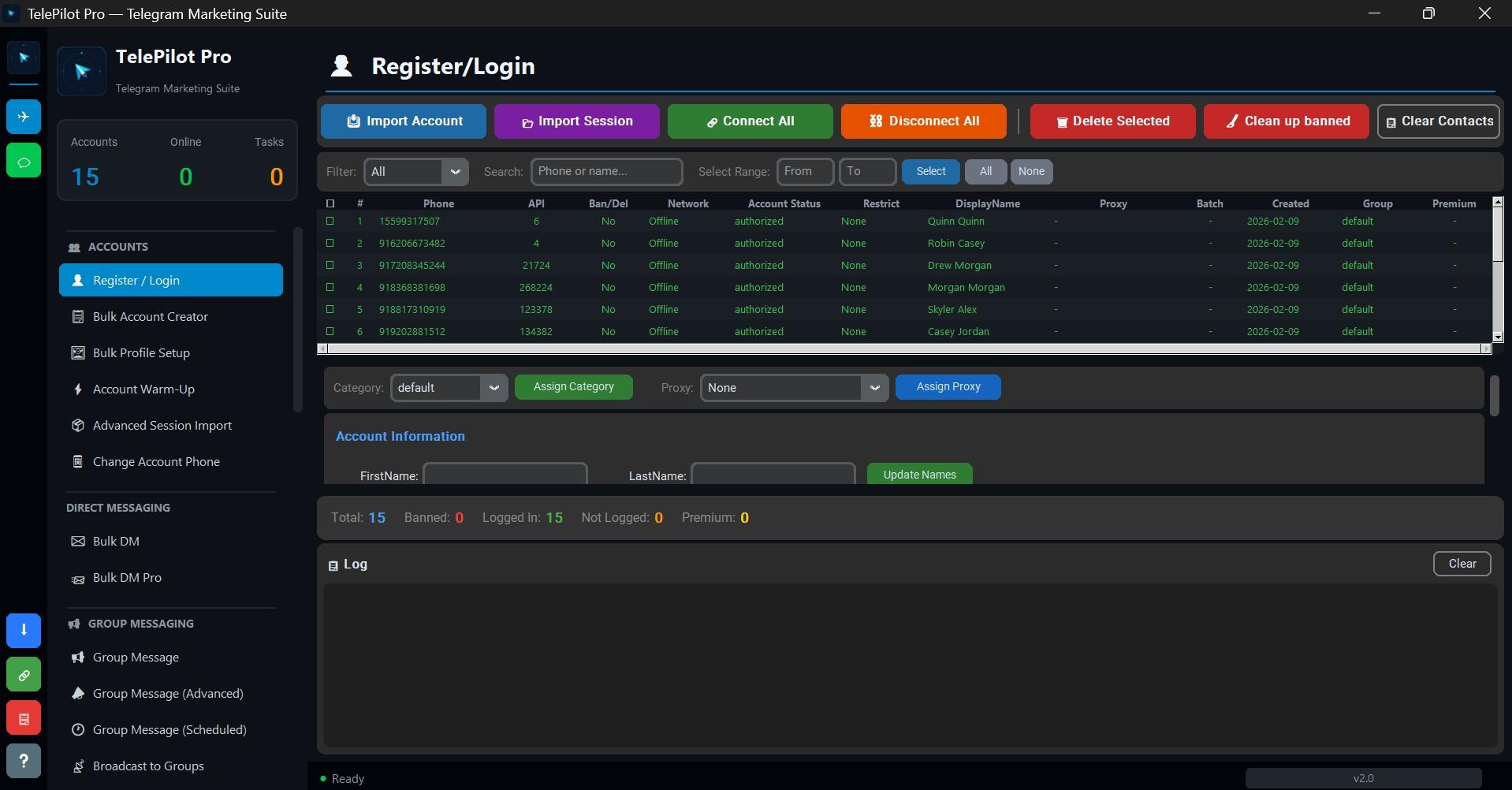
- Open Accounts and add one test account.
- Send one internal test message or run one read-only collection task.
Before Real Campaigns
- Confirm every account shows a valid session.
- Check your message template for links, typos, and compliance language.
- Keep the first run small so logs are easy to inspect.
- Save target lists and exported results in a private, access-controlled location.
Interface Screenshot
Frequently Asked Questions
Do I need Telegram API credentials?
Yes. Telegram client automation requires an API ID and API hash from my.telegram.org.
Is TelePilot Pro cloud hosted?
No. It is a Windows desktop application with online license validation.