
DocumentationTelePilot Pro Suite OverviewAccount Management
Account Management
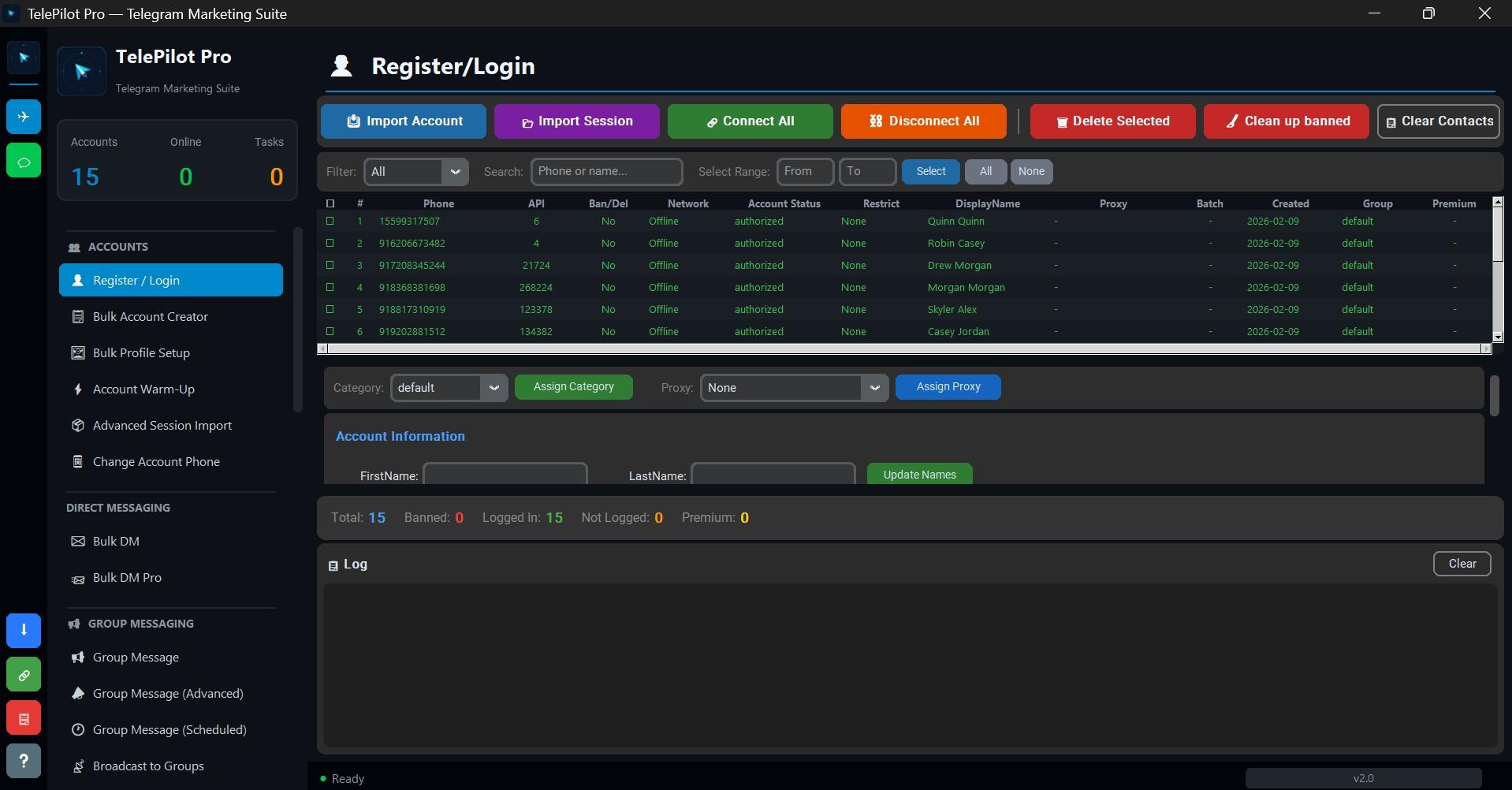
The account manager is the foundation of every TelePilot Pro workflow. It stores Telegram sessions locally, shows account status, and lets you prepare accounts before they are used in campaigns.
Supported Account Actions
- Phone login with Telegram verification code.
- Two-step verification password handling when enabled.
- Existing session import for compatible Telethon session files.
- Account labels, grouping, and status checks.
- Local session removal when an account should no longer be used.
Healthy Account Checklist
| Check | Good state |
|---|---|
| Authorization | Session is logged in and can fetch account info. |
| Profile | Name, avatar, and bio match the business identity. |
| Security | Two-step verification is enabled on important accounts. |
| Usage | Recent actions are normal and not excessive. |
Operational Guidance
Use fewer well-managed accounts instead of large unmanaged pools. Keep notes on account purpose, owner, and allowed campaigns so operators do not accidentally reuse the wrong identity.
Interface Screenshot
Frequently Asked Questions
Do I need Telegram API credentials?
Yes. Telegram client automation requires an API ID and API hash from my.telegram.org.
Is TelePilot Pro cloud hosted?
No. It is a Windows desktop application with online license validation.