
DocumentationTelegram Bulk Sender PRO OverviewBulk Sender PRO Troubleshooting
Troubleshooting
| Problem | What to do |
|---|---|
| CAPTCHA / login code blocked | Use your own API ID/Hash from my.telegram.org; try a clean connection; or import an existing session. |
| FloodWait / rate limited | Stop the campaign; reduce daily caps and increase delays; pause the affected account. |
| Session locked or corrupted | Use --cleanup-sessions or delete the locked file in sessions/ after closing the app. |
| License activation failed | Confirm your key is active in My Licenses; release the old machine before re-activating. |
| Hidden members not found | Increase the hidden-member scan limit in settings; confirm the group has recent public messages. |
Safe Use Tips
- Warm up new accounts before large campaigns.
- Keep message content relevant and honest.
- Honor opt-outs and local laws.
- Back up your
sessions/folder if you need to move the app.
Support
For license and product support, use your TelePilot Pro purchase channel or contact us via the support page. You can also reach TelePilotProSupport on Telegram.
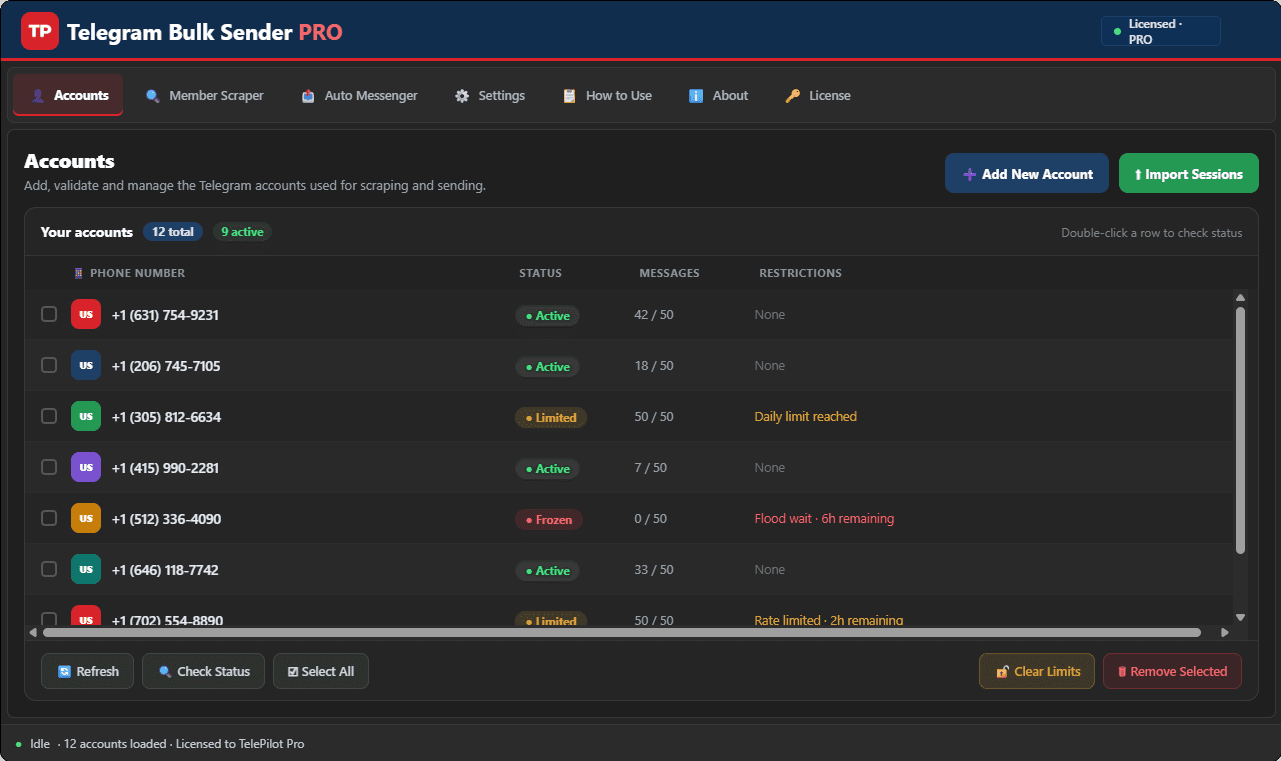
Interface Screenshot
Frequently Asked Questions
Where do I download TelegramBulkSenderPRO.exe?
After purchase, download from My Licenses or Purchases in your customer dashboard. The EXE is not a public direct link.
Do I need my own Telegram API credentials?
Yes. Create your own API ID and API Hash at my.telegram.org and enter them in Settings. Shared credentials often trigger CAPTCHA blocks.
Can I send media in bulk campaigns?
Yes. The Message Sender tab supports text and media attachments with customizable delays and per-account daily limits.