
DocumentationTelegram Bulk Sender PRO OverviewBulk Sender PRO Activation
Activation
Bulk Sender PRO uses hardware-locked, server-verified licensing through the TelePilot Pro license API. Activation data is stored locally in the data/ folder beside the EXE.
Steps
- Purchase a Telegram Bulk Sender PRO plan and copy your license key from My Licenses.
- Download and launch TelegramBulkSenderPRO.exe on the machine you want to activate.
- The activation window shows your hardware machine code on first run.
- Paste your license key and click Activate Software — the app contacts
telepilotpro.comand locks the license to this machine. - To transfer to a new machine, release the license from your dashboard (or use Deactivate License in the app) before re-activating.
The app re-verifies online periodically with a 3-day offline grace period. Internet access is required for first activation and periodic checks.
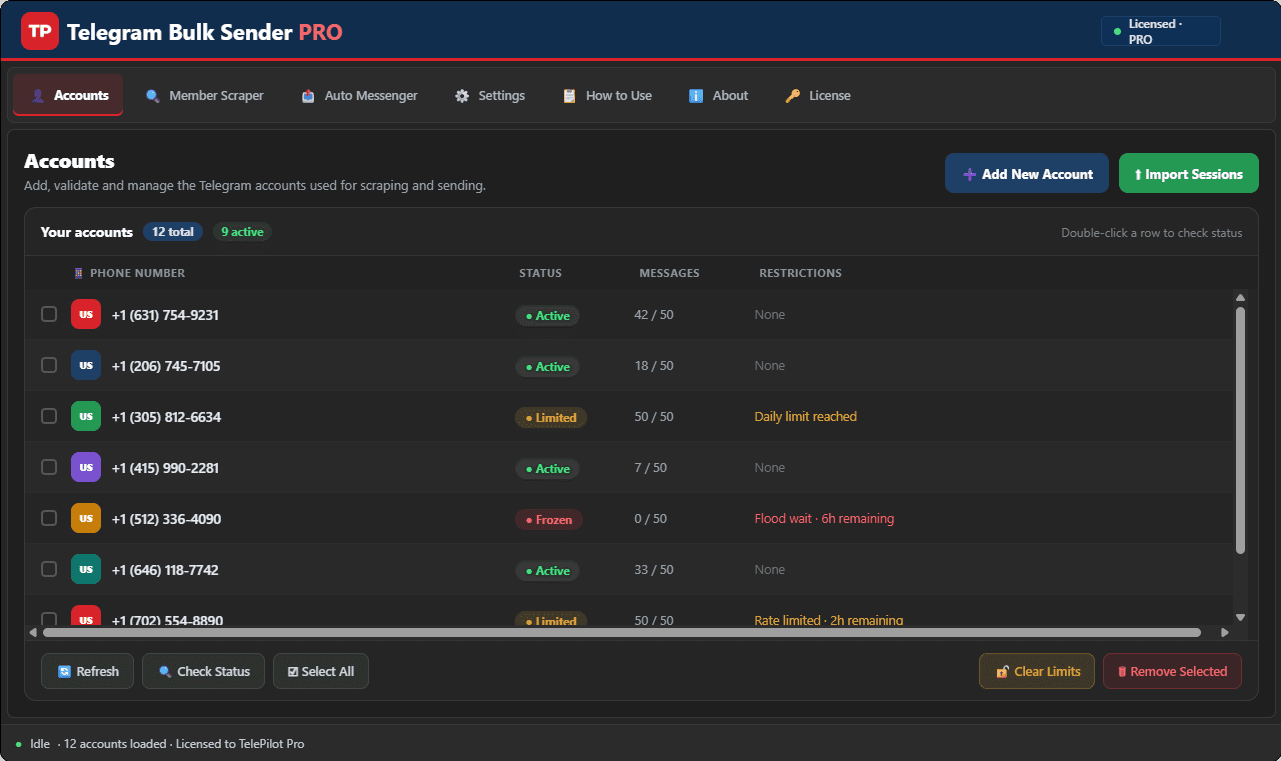
Interface Screenshot
Frequently Asked Questions
Where do I download TelegramBulkSenderPRO.exe?
After purchase, download from My Licenses or Purchases in your customer dashboard. The EXE is not a public direct link.
Do I need my own Telegram API credentials?
Yes. Create your own API ID and API Hash at my.telegram.org and enter them in Settings. Shared credentials often trigger CAPTCHA blocks.
Can I send media in bulk campaigns?
Yes. The Message Sender tab supports text and media attachments with customizable delays and per-account daily limits.