
FAQ
Where do I download the EXE?
After purchase, download TelegramBulkSenderPRO.exe from My Licenses or Purchases. Downloads require an active license.
Do I need my own Telegram API credentials?
Yes. Create your own API ID and API Hash at my.telegram.org. Shared credentials often trigger CAPTCHA blocks.
Can I send images or files in bulk campaigns?
Yes. The Message Sender tab supports media attachments alongside text messages.
How does device fingerprinting work?
The app assigns authentic device profiles (model, language, timezone) mapped to 214 countries to keep accounts geographically consistent and reduce ban risk.
Can I move the app to another PC?
Release the license in your dashboard (or deactivate in the app), then activate on the new machine. Back up your sessions/ folder if you need to preserve logins.
Is there a demo video?
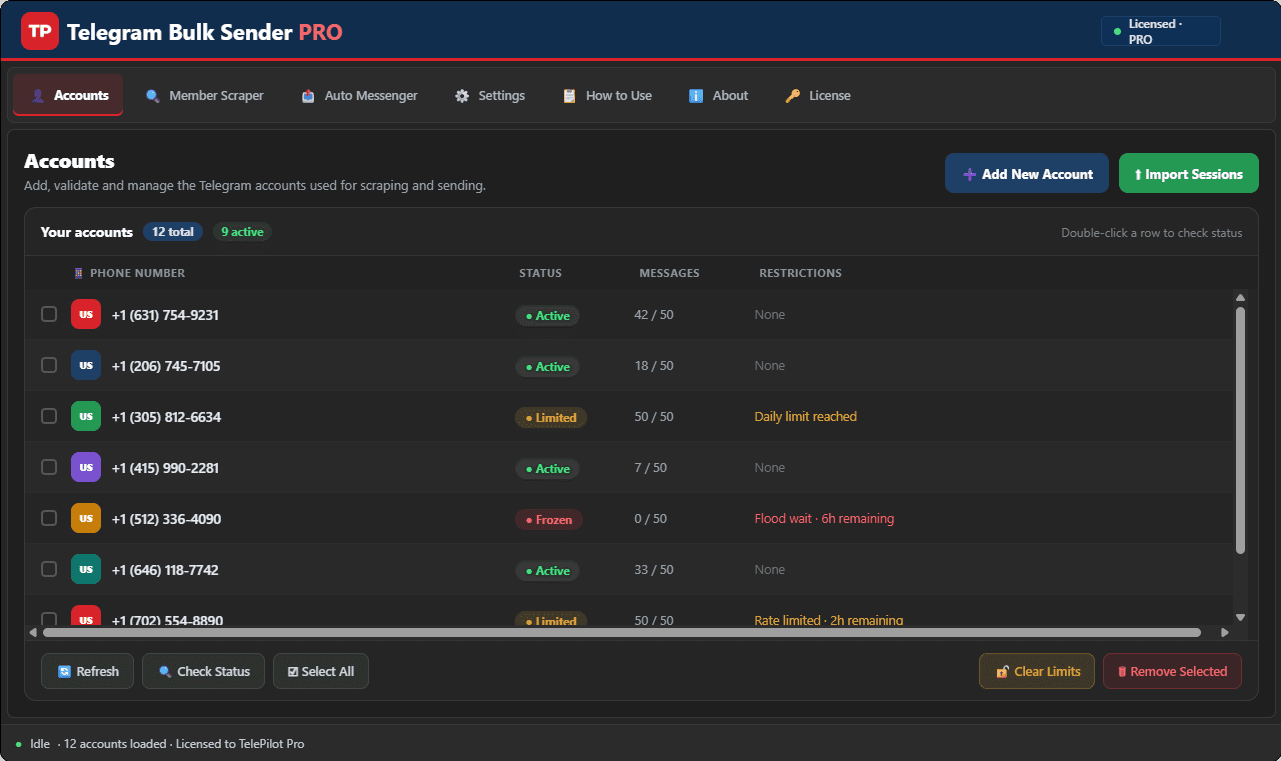
Check the product page for screenshots and any demo media we publish for this release.
Interface Screenshot
Frequently Asked Questions
Where do I download TelegramBulkSenderPRO.exe?
After purchase, download from My Licenses or Purchases in your customer dashboard. The EXE is not a public direct link.
Do I need my own Telegram API credentials?
Yes. Create your own API ID and API Hash at my.telegram.org and enter them in Settings. Shared credentials often trigger CAPTCHA blocks.
Can I send media in bulk campaigns?
Yes. The Message Sender tab supports text and media attachments with customizable delays and per-account daily limits.