
DocumentationTelegram Bulk Sender PRO OverviewBulk Sender PRO Installation
Installation
System Requirements
| Requirement | Details |
|---|---|
| Operating system | Windows 10 or 11 (64-bit) |
| Network | Stable internet connection |
| Telegram | Your own API ID and API hash from my.telegram.org |
| License | Active TelePilot Pro license for Bulk Sender PRO |
Download
- Purchase a plan for Telegram Bulk Sender PRO.
- Open My Licenses or Purchases in your customer dashboard.
- Download TelegramBulkSenderPRO.exe (licensed download — not a public direct link).
Install & First Launch
- Unzip or copy the folder that contains TelegramBulkSenderPRO.exe.
- Double-click TelegramBulkSenderPRO.exe to open the app.
- On first launch, complete the activation window with your license key.
- Keep the EXE folder writable — the app saves settings, sessions, and logs next to the EXE.
> Windows may show a SmartScreen warning for unsigned apps. Choose More info → Run anyway if you trust this software.
Files Created Next to the EXE
| Folder / file | Purpose |
|---|---|
settings.json | Application settings |
sessions/ | Account login sessions (keep private) |
data/ | License activation data |
accounts/ | Account backups and state |
logs/ | Application logs |
Do not share your sessions/ folder, settings.json (contains API hash), or license files.
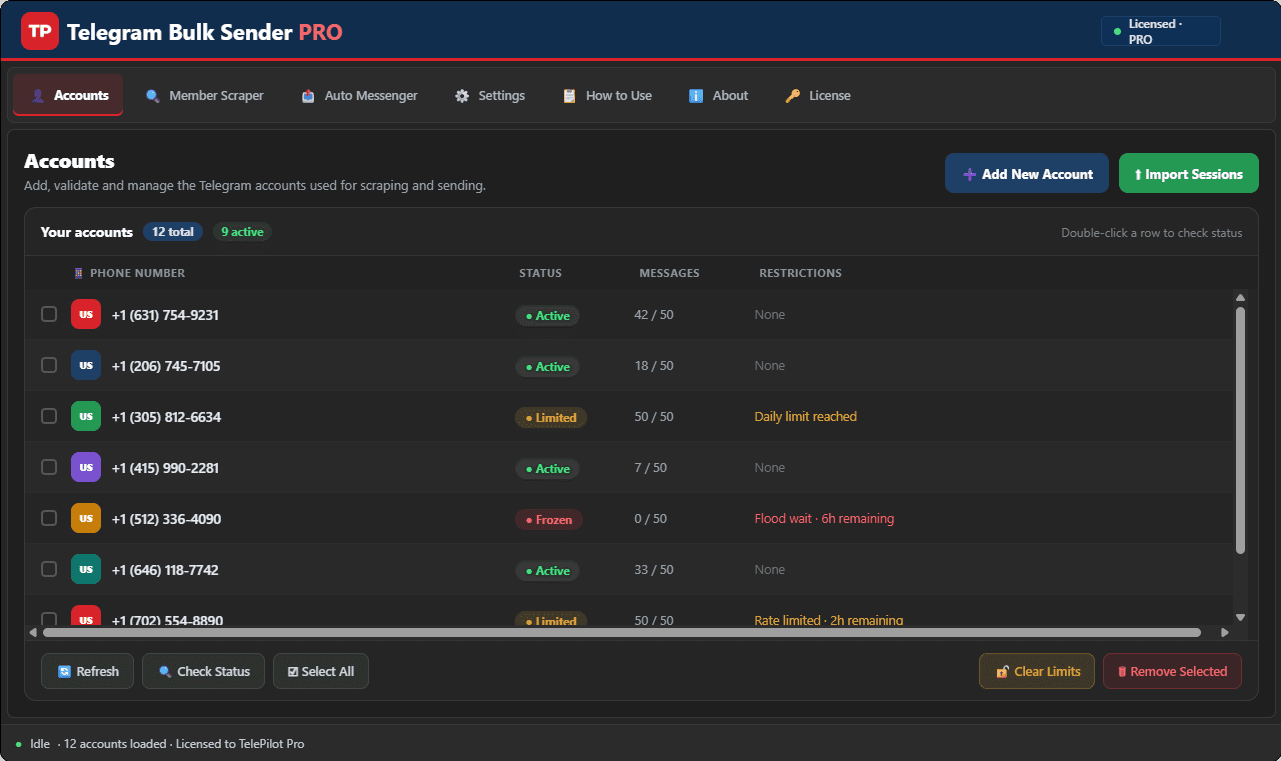
Interface Screenshot
Frequently Asked Questions
Where do I download TelegramBulkSenderPRO.exe?
After purchase, download from My Licenses or Purchases in your customer dashboard. The EXE is not a public direct link.
Do I need my own Telegram API credentials?
Yes. Create your own API ID and API Hash at my.telegram.org and enter them in Settings. Shared credentials often trigger CAPTCHA blocks.
Can I send media in bulk campaigns?
Yes. The Message Sender tab supports text and media attachments with customizable delays and per-account daily limits.