
DocumentationTelegram Bulk Sender PRO OverviewBulk Sender PRO Settings
Settings
API Credentials
Enter your API ID and API Hash from my.telegram.org in the Settings tab. Use credentials created under your own account — never shared or public API pairs.
Message Sending
Configure defaults for bulk campaigns:
- Delay between messages (seconds)
- Maximum messages per account per day
- Parallel worker count
- Media attachment behavior
Rate Limiting
Built-in safeguards include flood-wait handling and smart rate limiting. Start with conservative caps for new accounts and increase gradually.
General
- Light or dark theme
- Session cleanup options
- Logging preferences
Command-Line Options
bashexample
python sender2.py                 # Start the GUI
python sender2.py --headless      # Headless mode
python sender2.py --cleanup-sessions
python sender2.py --help
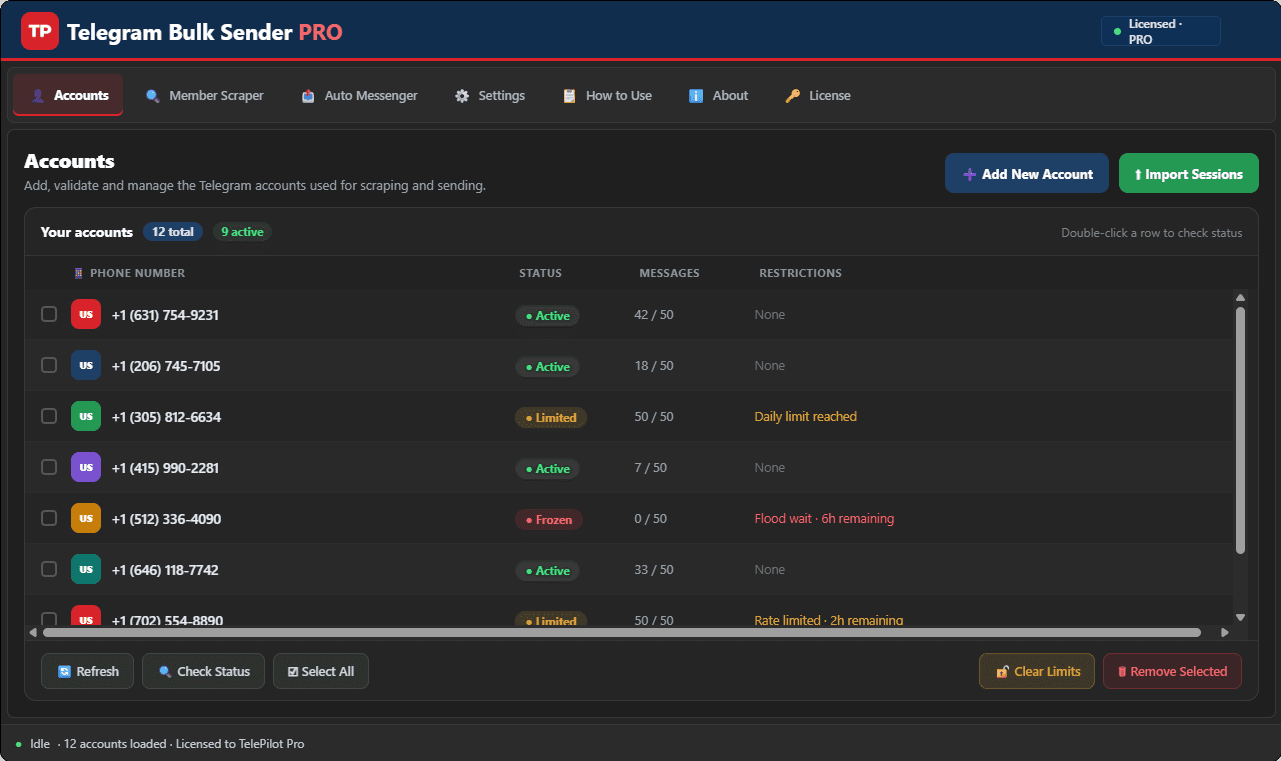
Interface Screenshot
Frequently Asked Questions
Where do I download TelegramBulkSenderPRO.exe?
After purchase, download from My Licenses or Purchases in your customer dashboard. The EXE is not a public direct link.
Do I need my own Telegram API credentials?
Yes. Create your own API ID and API Hash at my.telegram.org and enter them in Settings. Shared credentials often trigger CAPTCHA blocks.
Can I send media in bulk campaigns?
Yes. The Message Sender tab supports text and media attachments with customizable delays and per-account daily limits.