
DocumentationTelegram Member Adder PRO OverviewMember Adder PRO How to Use
How to Use
Follow this workflow from a fresh install to your first invite queue.
Step 1 — Settings
- Open the Settings tab.
- Enter your API ID, API Hash, phone number, and a session name.
- Click Save.
- This account becomes your active / scraper account.
Step 2 — Add Accounts
- Open Accounts.
- Click Add Account and complete the Telegram login code (and 2FA password if asked).
- Add one or more extra accounts to use as invite workers.
- Optional: set a clean SOCKS5 proxy per account. Avoid Tor/VPN/datacenter IPs for login.
- Click Verify Health Status and prefer accounts marked healthy.
- Use Set Active (or double-click) to choose which account is the scraper.
Tip: If Telegram asks for a CAPTCHA on login code, use your own API ID/Hash, try a clean residential/mobile proxy, or import an existing .session (Accounts → Import).
Step 3 — Scrape Members
- Open Scraper.
- Load groups and select a group your active account can access.
- Choose a scrape limit.
- Use Recent Message Senders when you want recent active users instead of the full member list.
- Export to CSV.
Step 4 — Invite Members
Flow: each adder joins the target group first, then invites from your list.
- In Accounts, select healthy adder sessions.
- Open Adder, refresh/select the destination group, and import your CSV or TXT list.
- For private groups, paste an invite link for the same group you selected.
- Review optional options: Auto-promote adders, Allow active account to invite, Require admin.
- Keep safe delays and per-account caps unless you have a reason to change them.
- Click Start Addition Queue.
Only invite to groups you administer and people you are allowed to invite.
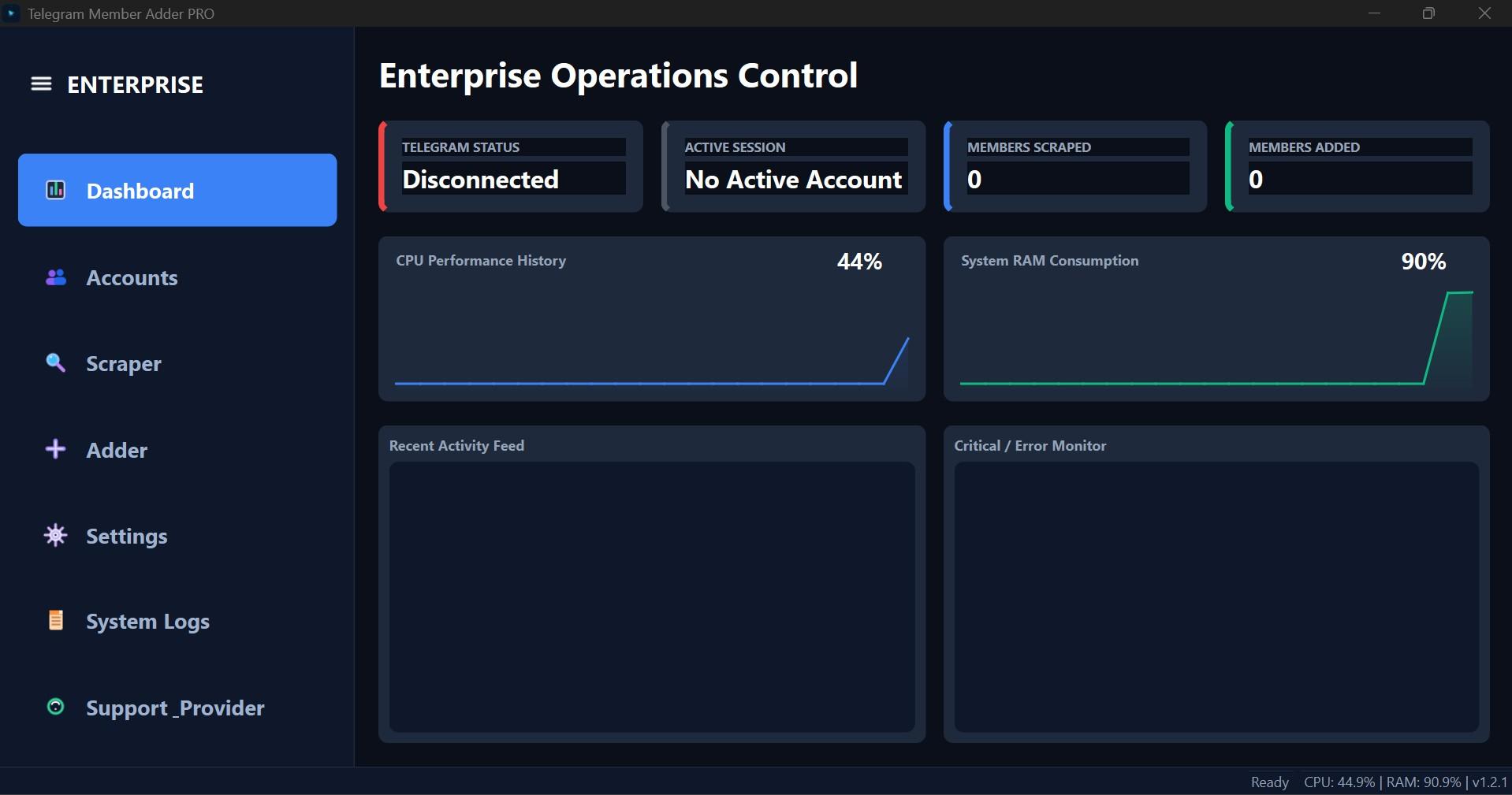
Interface Screenshot
Frequently Asked Questions
Where do I download TelePilotPro-Member-Adder.exe?
After purchase, download from My Licenses or Purchases in your customer dashboard. The EXE is not a public direct link.
Do I need my own Telegram API credentials?
Yes. Create your own API ID and API Hash at my.telegram.org. Shared credentials often trigger CAPTCHA blocks.
Can the scraper account also send invites?
Not by default. Enable Allow active account to invite on the Adder tab if you want the scraper account to invite as well.