
DocumentationTelegram Member Adder PRO OverviewMember Adder PRO Features
Features
Account Management
- Configure a dedicated scraper account in Settings.
- Add multiple adder accounts as invite workers.
- Verify Health Status and prefer accounts marked healthy.
- Optional SOCKS5 proxy per account (host:port or user:pass@host:port).
- Import existing
.sessionfiles from accounts already logged into official Telegram.
Member Scraping
- Load groups your active account can access.
- Choose a scrape limit (the app caps large scrapes for safety).
- Recent Message Senders mode for recent active users instead of the full member list.
- Export to CSV with
source_sessionon each row.
Safe Inviting
- Each adder joins the target group first, then invites from your list.
- Import CSV or TXT member lists.
- Paste a private invite link (
t.me/+…orjoinchat/…) when the destination is a private group. - Auto-promote adders — main account temporarily grants “Add users”, then demotes when done.
- Allow active account to invite — include the scraper account when needed.
- Require admin — stop workers that cannot add users.
- Safe delays and per-account caps with cold-account safe limits for new accounts.
Reports & Logs
- Each invite run writes a CSV report under
reports/. - Usage is stored with each session.
app.loganderrors.loghelp diagnose login or invite issues.
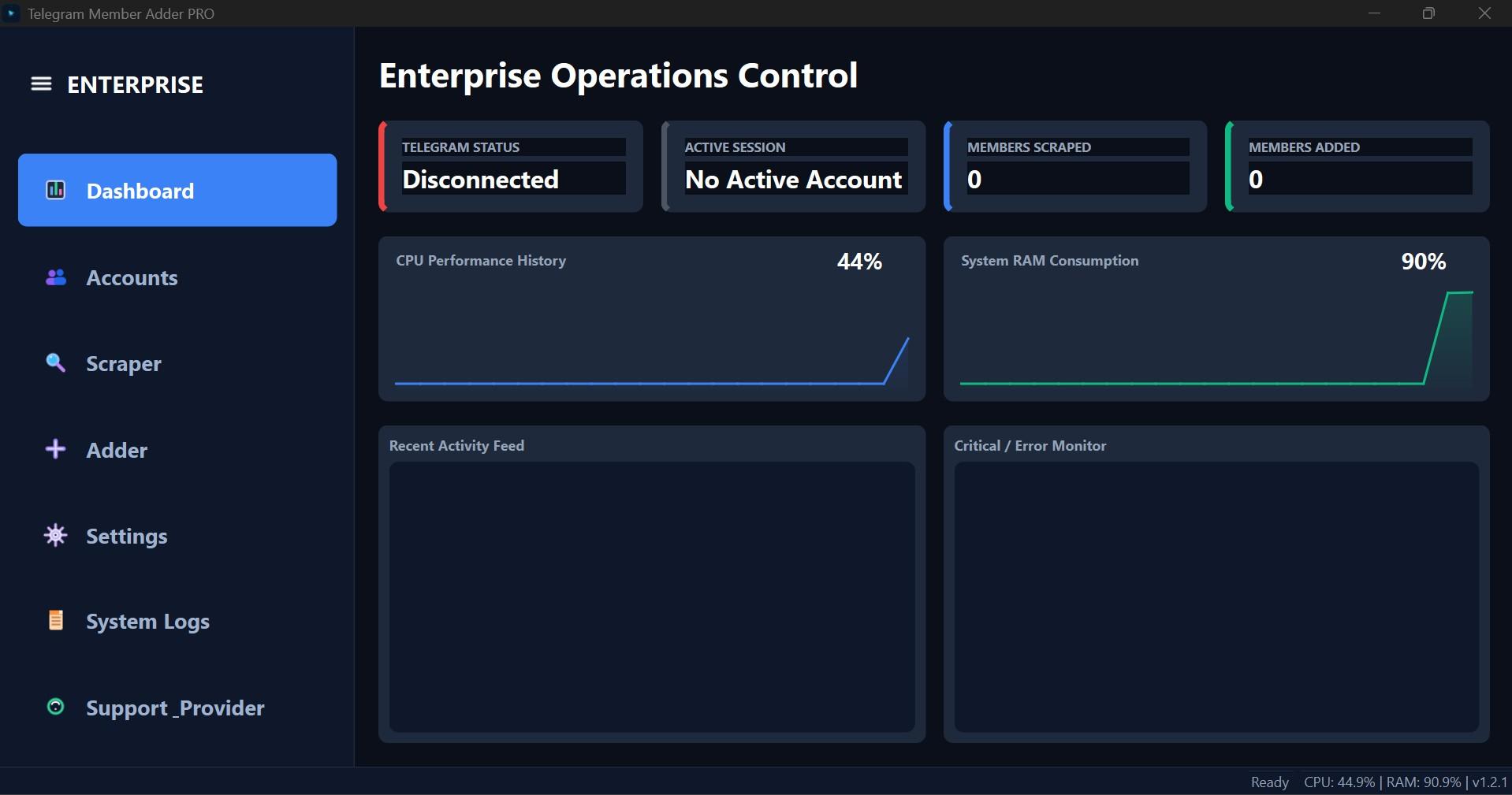
Interface Screenshot
Frequently Asked Questions
Where do I download TelePilotPro-Member-Adder.exe?
After purchase, download from My Licenses or Purchases in your customer dashboard. The EXE is not a public direct link.
Do I need my own Telegram API credentials?
Yes. Create your own API ID and API Hash at my.telegram.org. Shared credentials often trigger CAPTCHA blocks.
Can the scraper account also send invites?
Not by default. Enable Allow active account to invite on the Adder tab if you want the scraper account to invite as well.