
TelePilot Pro: A Complete Guide to Telegram Marketing Automation
A practical walkthrough of TelePilot Pro: account management, bulk DM campaigns, group messaging, channel mirroring and scraping, with realistic limits.
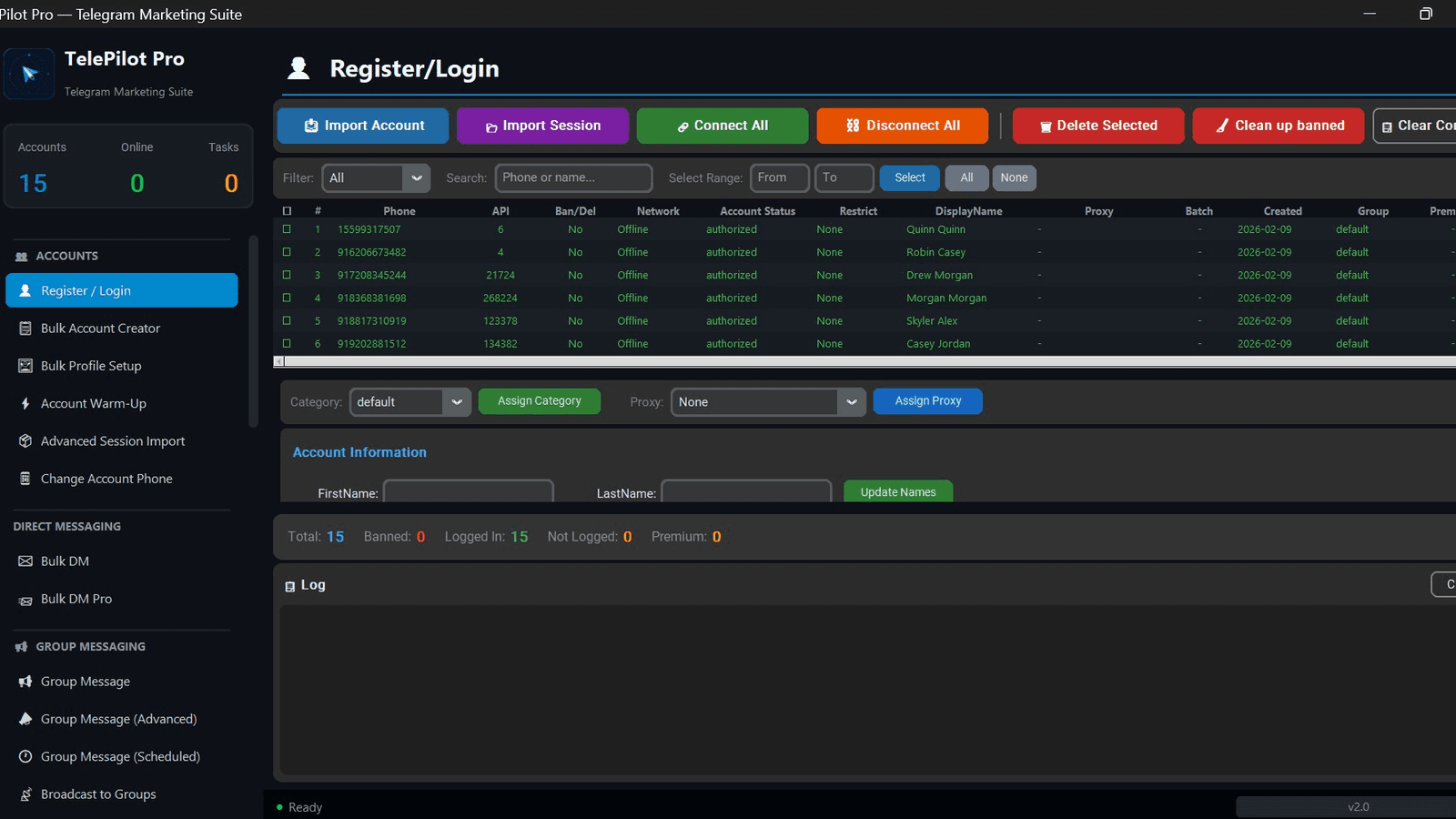
Most Telegram marketing tools do one thing. You end up with a scraper from one vendor, a sender from another, and a forwarding script someone wrote in a weekend — three sets of session files, three places for accounts to get banned, and no single view of what is running.
TelePilot Pro exists because that fragmentation is the actual problem. It is a Windows desktop suite that keeps account management, outreach, group messaging and scraping in one interface, so the accounts doing the sending are the same accounts you can see the status of.
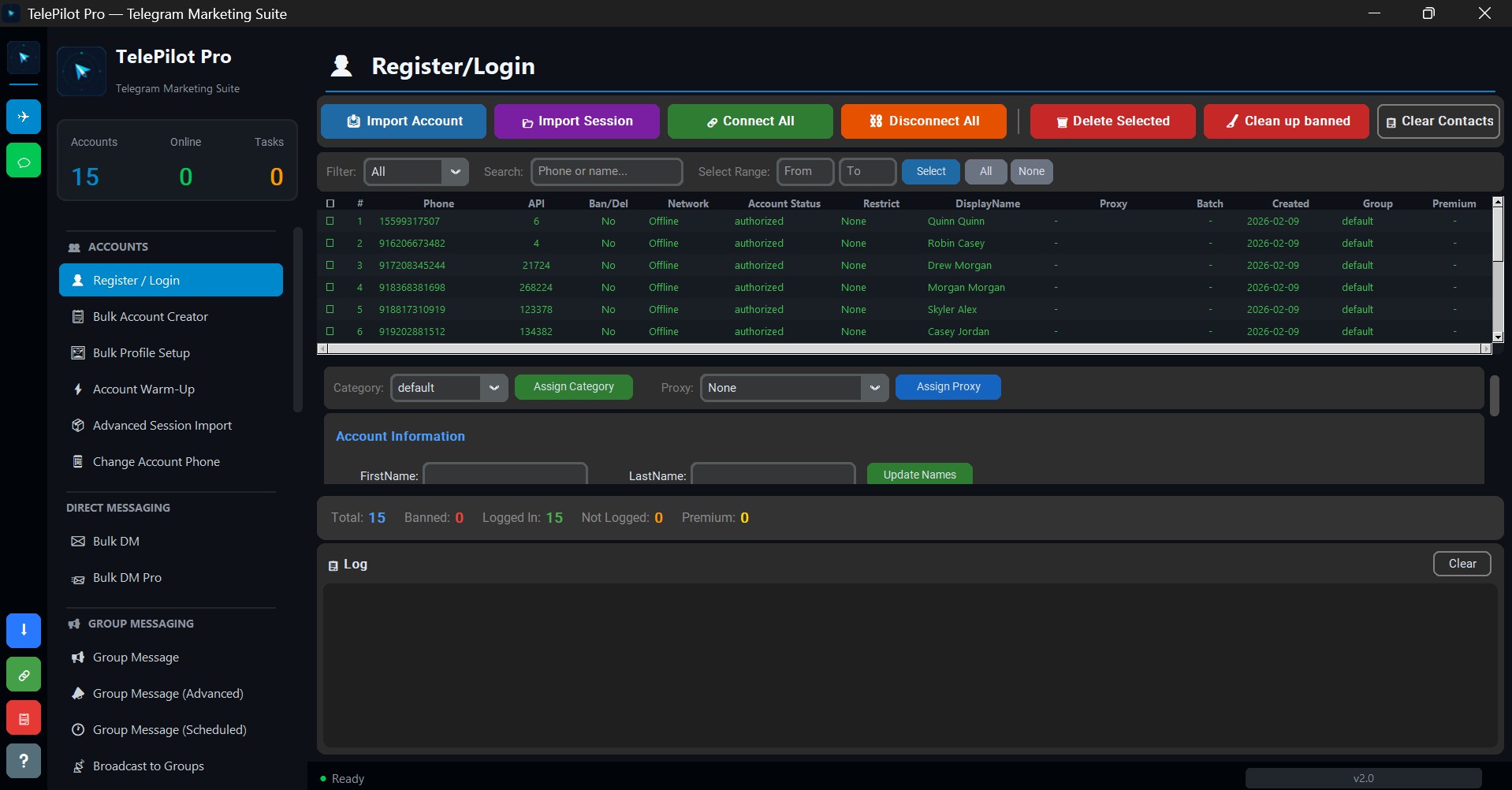
What the Account Manager Actually Does
Everything starts with accounts, and this is the screen you will spend the most time in. It handles:
- Import by account or by session — bring in existing sessions rather than re-authenticating everything.
- Connect and disconnect in bulk — useful when you want a subset online for a specific campaign.
- Live status per account — authorised, restricted, banned, online. You find out an account died before a campaign burns through it, not after.
- Proxy assignment — assign proxies per account or in batches.
- Clean up banned — removes dead accounts from the pool in one action.
The counters at the bottom (Total, Banned, Logged In, Not Logged, Premium) matter more than they look. Ban rate is the number that tells you whether your sending volume is sustainable, and it is the first thing to check when results drop.
The Four Ways to Reach People
Bulk DM and Bulk DM Pro — direct messages to a list. This is the highest-intent channel and the one Telegram polices hardest, so it belongs on warmed accounts with conservative limits.
Group Message, Advanced, and Scheduled — posting into groups you have joined. Scheduling spreads sends across hours instead of firing everything at once, which is both less spammy and more likely to land when people are actually reading.
Broadcast to Groups — the same message across many target groups. If you need this at higher throughput across many accounts at once, Telegram Shill Bot PRO is purpose-built for it.
Channel mirroring — copy posts from source channels into your own in real time. If mirroring is the only thing you need, Forward Bot PRO does it standalone for less.
Scraping Before Sending
Sending to a random list wastes accounts. TelePilot Pro scrapes members from groups you can access so your target list is people already active in a relevant community.
The practical rule: scrape from groups where your offer would make sense to a member reading it. A crypto tool advertised into a cooking group does not fail because of limits — it fails because nobody there wants it. Our member scraping guide covers how to pick sources.
For scraping and inviting as a dedicated workflow, Telegram Member Adder & Scraper PRO separates scraper and adder account roles, which reduces the blast radius when an account gets restricted.
Staying Within Telegram's Limits
Any tool that automates a Telegram account carries account risk — that is true of every product in this category, including ours. What changes the outcome is how you operate it:
- Warm accounts up before scaling. A brand-new account that immediately messages hundreds of people is the clearest possible spam signal. See our Telegram account warm-up guide.
- Keep volumes conservative. The built-in rate limits exist because they reflect what real accounts do. Raising them raises your ban rate.
- Vary your message text. Identical copy sent repeatedly is trivially detected. Spintax helps — see the Telegram spintax guide.
- Message people with a reason to hear from you. Relevance is what separates outreach from spam, and it is also what determines whether the campaign earns anything.
We cover the failure modes in detail in Telegram automation mistakes that get you banned.
Bulk Account Creation and Warm-Up
Two features deserve specific mention because they are where most campaigns are won or lost:
Bulk Account Creator builds accounts in batches, and Account Warm-Up ages them with normal-looking activity before you point them at a campaign. Skipping warm-up is the single most common reason a batch of accounts dies in its first week.
Bulk Profile Setup fills in names, bios and photos across accounts. Empty profiles read as throwaway accounts to both Telegram and the humans you message.
Who This Is For
TelePilot Pro makes sense if you are running Telegram outreach as an ongoing channel and need several capabilities in one place. If you only need one function, the focused tools are cheaper:
- Mirroring only → Forward Bot PRO
- Group blasting only → Telegram Shill Bot PRO
- Scrape and invite only → Telegram Member Adder & Scraper PRO
- DM campaigns only → Telegram Bulk Sender PRO
Pricing
TelePilot Pro is available monthly, yearly, or as a lifetime licence. Full current pricing is on the TelePilot Pro product page.
Where to Start
- Import a small number of accounts and warm them up properly.
- Scrape one well-chosen source group.
- Run a small campaign — a few dozen messages — and read the reply rate, not just the send count.
- Scale only once ban rate stays near zero across a full cycle.
If you are building a Telegram channel from nothing, start with Telegram marketing strategy from scratch before you automate anything.
Ready to automate your Telegram marketing?
Try TelePilot Pro — 40+ tools in one powerful desktop application.
Get Started Today